
실시간 데이터가 들어오지 않을 시, 과거 데이터를 출력해준다.
문제상황
- api를 통해 실시간 데이터가 들어오지 않을 땐 과거값 출력하도록 설정
- 현재 실시간데이터가 들어오고 있는지, 랜덤값이 출력되고 있는지 알 수 없음
해결방안
- 랜덤값을 출력할 땐, text로 표시
- 데이터로드 시간을 출력
핵심코드&해결과정
랜덤값을 출력할 땐, text로 표시
if self.player.pos_layer == 'mini_chamber':
    if not self.livedata_mini_chamber:
        self.show_entry_fake(top=self.bg_rect.bottom + self.space)
-
위의 코드를 보면 실시간 데이터가 들어올 때 true / 안들어올 때 false 로 livedata_mini_chamber를 선언했다
response.status_code == 200가 아닐 때, livedata_mini_chamber를 false로 설정- 현재의 경우, 데이터는 들어오는데 실시간 데이터가 아닌 과거의 데이터가 들어오고 있음.
- 이를 해결하기 위해 현재시간과 데이터로드 시간을 비교하여 3분이 지났을 때, livedata_mini_chamber를 false로 설정하도록 함 (데이터 로드 기간 : 1분)
set_time = datetime.strptime(output['Time'], ('%H:%M:%S'))
if (datetime.now() - set_time).seconds / 60 >= 3:
    self.livedata_mini_chamber = False
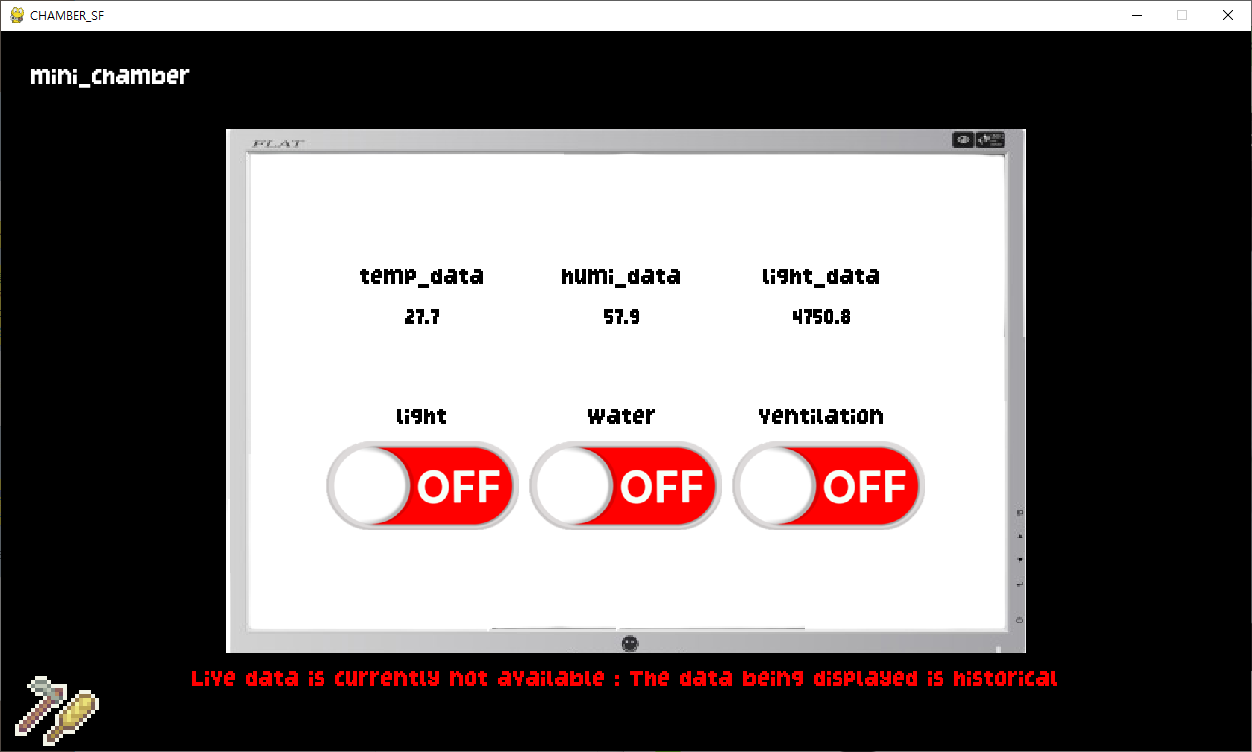
'현재 실시간 데이터가 들어오고 있지 않다 : 보여지는 데이터는 과거의 데이터이다.'가 출력되고 있다
데이터로드 시간을 출력
텍스트를 대시보드(회색컴퓨터)의 오른쪽 하단에 출력하기 위해서 텍스트 작업을 진행
텍스트를 파이게임 내에서 출력하기 위해서
- text_surf —> 그리고자 하는 글자
- text_rect —> 글자를 담을 공간
위 두가지가 필요하다
def show_entry_updated_time(self, text_surf, color='black'):
    updateed_time_surf = self.font.render(text_surf, False, color)
    top = self.bg_rect.bottom - updateed_time_surf.get_height() - self.space*3
    updated_time_rect = pygame.Rect(self.bg_rect.right-updateed_time_surf.get_width()-self.space*3, top,
                                    updateed_time_surf.get_width(), updateed_time_surf.get_height())

    self.updated_time_rect = updateed_time_surf.get_rect(center=(updated_time_rect.centerx, updated_time_rect.centery))
    self.display_surface.blit(updateed_time_surf, self.updated_time_rect)
위 코드에서 보면
- text_surf로 그리고자하는 text를 받느다
- updateed_time_surf에 파이게임 내에서 사용할 수 있는데 텍스트의 형태로 변환한다
- text를 그리고자 하는 위치, 크기를 정한다
- text를 그리고자 하는 위치에 text를 그린다 의 순서로 되어있는 것을 확인할 수 있다.
실시간 데이터를 받아오던 함수에서 return값을 리스트로 받아왔는데, 앞으로 리스트의 요소가 늘 것을 우려 그 경우, 프로그램 내에서 해당부분을 모두 수정해야 하므로 딕셔너리로 받아오도록 수정
if self.player.pos_layer == 'mini_chamber':
    if not self.livedata_mini_chamber:
        self.show_entry_updated_time(f'UPDATED TIME : {self.get_data["Date"]} {self.get_data["Time"]}', color='red')
        self.show_entry_fake(top=self.bg_rect.bottom + self.space)
    else:
        self.show_entry_updated_time(f'UPDATED TIME : {self.get_data["Date"]} {self.get_data["Time"]}', color='black')
앞에서 걸었던 조건에 방금 추가한 기능을 합쳐 코드를 작성하였다 실시간 데이터가 아닐 경우, 업데이트 시간을 빨간색으로 표시하여 사용자에게 알리도록 하였다.
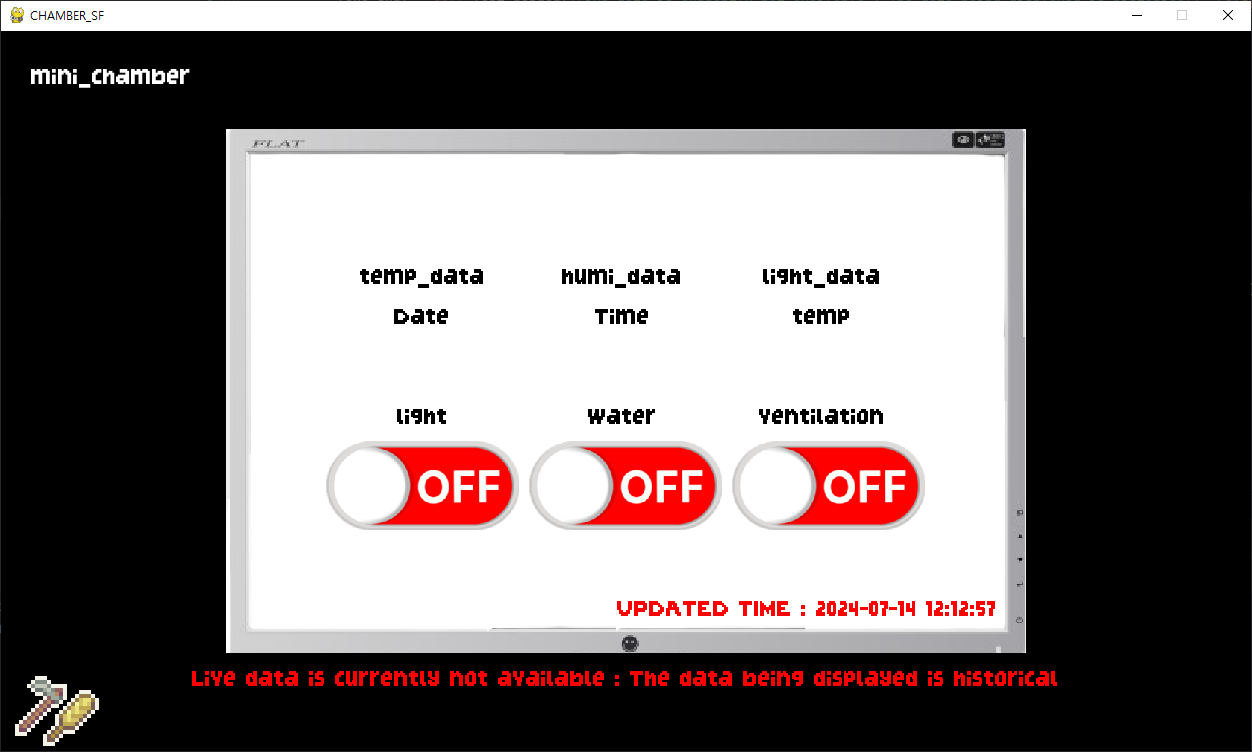
데이터 로드 시간을 출력하고 있다